
Does Stardew Valley Have Crossplay?
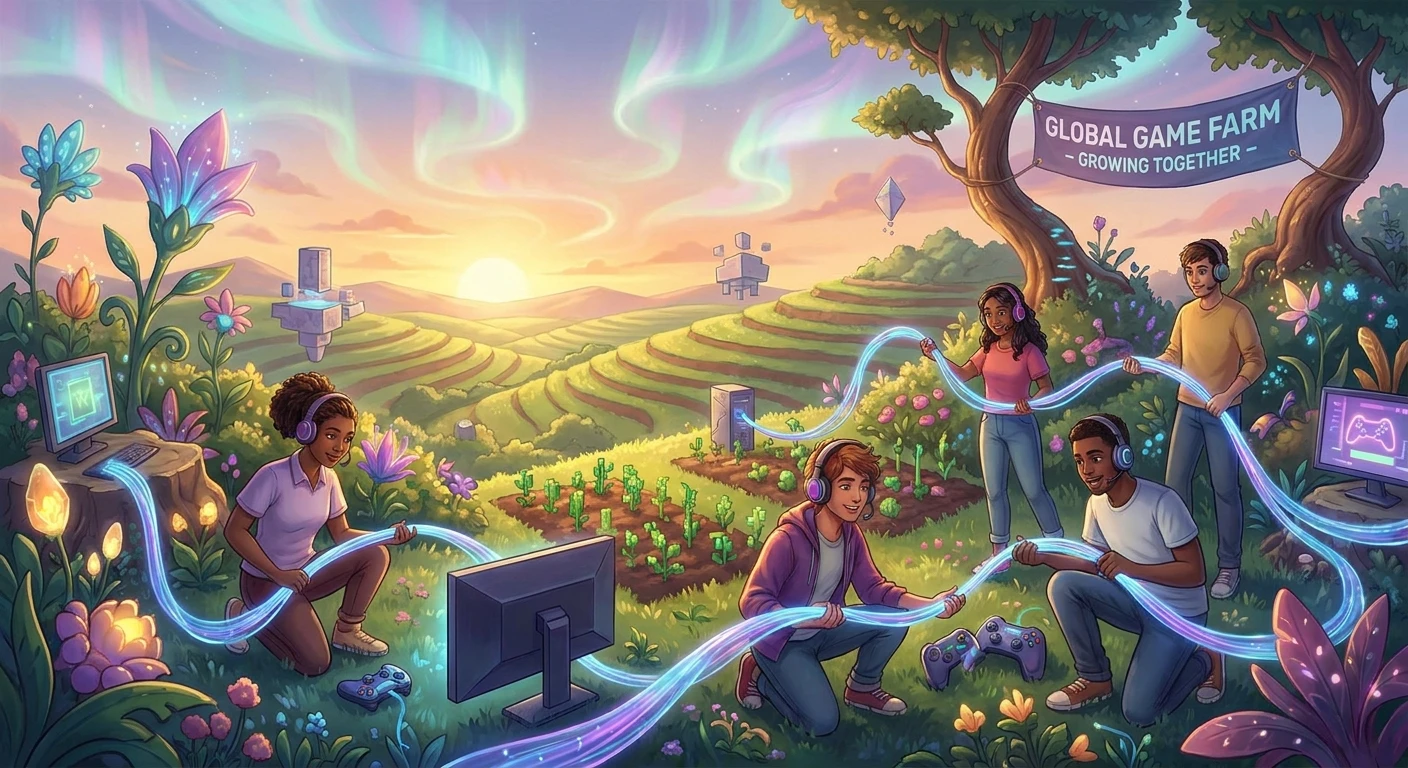
If you are wondering does Stardew Valley have crossplay, you are not alone in wanting to share your agricultural adventures with friends across different devices. The simple joy of clearing land, mining deep into the earth, and building a thriving community is heavily amplified when experienced together. However, coordinating a multiplayer session requires understanding exactly how the game handles network connections. Unfortunately, the title does not feature universal connectivity between entirely different hardware ecosystems. This means that someone sitting at their computer keyboard cannot invite a friend playing on a television with a Nintendo Switch. We will break down exactly how you can connect, what hardware combinations are permitted, and how to get your cooperative session running smoothly today.
Current Platform Connectivity Rules
Understanding exactly how connectivity works is essential before convincing your friends to purchase the game. The network architecture is strictly divided by hardware families. Here is a clear breakdown of how the systems interact:
Read also: Is Stardew Cross Platform? A Complete Multiplayer Guide; Is Party Animals Cross Platform? Your Complete Answer.
| Platform Family | Crossplay Supported | Cross-Generation Supported |
|---|---|---|
| PC, Mac, and Linux | Yes (Seamless across all desktop OS) | Not Applicable |
| PlayStation Consoles | No (Restricted entirely to PlayStation) | Yes (PS4 can play directly with PS5) |
| Xbox Consoles | No (Restricted entirely to Xbox) | Yes (Xbox One works with Series X/S) |
Understanding these platform restrictions provides a major advantage when coordinating game purchases for your social circle. Example 1: If your gaming group primarily uses Steam on their desktop computers, purchasing a Nintendo Switch copy for yourself means you will be isolated in local offline modes. Example 2: Conversely, if you recently acquired a PlayStation 5 and your best friend still uses a PlayStation 4, you can confidently buy the game knowing that Sony’s internal network supports full cross-generation multiplayer without requiring frustrating workarounds.
Essential Steps for Setting Up Co-op
If you have confirmed that everyone is on the exact same hardware family, follow these foundational rules to get started:
- Verify that every single participant owns a licensed copy on the exact same platform ecosystem before attempting to host a lobby.
- Establish a highly robust internet connection, as the entire peer-to-peer structure relies heavily on the host machine’s upload speed.
- Ensure the designated host has built enough physical starting cabins through Robin the carpenter, or selected a new farm layout that includes them automatically.
Origins of Multiplayer in Pelican Town
Initially launched as a purely solitary agricultural simulation in early 2016, the massive global community immediately began requesting ways to share their digital farming lives. The sole developer, Eric Barone (widely known as ConcernedApe), deeply recognized this massive player demand. He partnered closely with the programming team at Chucklefish to entirely rewrite the underlying code infrastructure. This massive technical undertaking took years of meticulous development, ultimately resulting in the highly anticipated update version 1.3. This specific update completely revolutionized the core gameplay loop, shifting it from a solitary daily grind to a highly cooperative adventure where friends could dynamically divide labor, mine hazardous caverns together, and build a shared thriving community from scratch.
The Evolution of Platform Ecosystems
When version 1.3 finally launched, it rolled out sequentially across devices rather than universally all at once. Desktop players were the first to test the cooperative features through an extensive public beta period. Once stabilized and optimized, the feature slowly migrated to the Nintendo Switch, PlayStation 4, and Xbox One ecosystems. However, this fragmented sequential rollout heavily highlighted the rigid, unyielding boundaries of modern gaming hardware ecosystems. Each console manufacturer operates distinctly unique, proprietary network environments with highly stringent security protocols and unique proprietary matchmaking interfaces. Because the simulation relies on direct peer-to-peer connections rather than centralized dedicated server clusters, bridging these isolated corporate networks proved to be an insurmountable technical hurdle for a boutique independent development operation.
Modern State of Farming with Friends
Today, cooperative gameplay remains one of the absolute most beloved aspects of the simulation, yet it remains firmly siloed by physical hardware boundaries. Recent major patches, specifically including the massive version 1.5 and 1.6 content updates, successfully introduced local split-screen capabilities, somewhat alleviating the networking constraints for players physically sitting in the exact same living room. Despite these massive structural expansions, the fundamental internal architecture regarding cross-network communication has remained completely unchanged. Players must rigorously coordinate their hardware choices long before committing to a shared agricultural journey. The community has largely adapted to this permanent reality, forming dedicated matchmaking groups on specific hardware ecosystems to ensure smooth, uninterrupted collaboration.
Why Universal Network Compatibility is Difficult
Understanding the strict lack of universal integration requires examining the complex underlying software architecture that powers these multiplayer sessions. Most massive blockbuster titles that successfully support seamless cross-platform functionality rely heavily on massive, expensive centralized server farms managed by massive publishers. These massive servers act as completely neutral digital territory where totally different hardware clients can safely connect. Conversely, this specific farming simulation operates purely on a peer-to-peer network topology. The host player’s personal machine acts directly as the server, simulating the entire valley’s complex logic, daily crop growth, and intricate NPC schedules. The client machines simply send input commands and receive visual state updates. Translating these proprietary network handshakes across fundamentally different console architectures in real-time requires uniquely customized Application Programming Interfaces for every single possible connection pair, representing an incredibly resource-intensive engineering task.
Technical Hurdles Behind Peer-to-Peer Synchronization
Beyond basic network connectivity, peer-to-peer networking faces severe data synchronization challenges. If a host running on a highly powerful desktop computer connects directly with a client utilizing older console hardware, the massive discrepancy in processing power can easily cause severe visual desynchronization. In a game where exact timing matters deeply for combat mechanics in the Skull Cavern or tricky fishing minigames, dropped data packets can instantly ruin the player experience. Furthermore, each unique console platform strictly requires distinct corporate certification processes for software updates. If a cross-network patch accidentally breaks connectivity, waiting several weeks for console certification approval would leave thousands of digital farms completely inaccessible.
- Platform specific network APIs heavily govern all matchmaking, meaning networks like Xbox Live and PlayStation Network naturally reject direct peer-to-peer handshakes without highly specialized, expensive middleware.
- Internal game tick rate synchronization is entirely dependent on the host machine’s local hardware capabilities, making widely varied console hardware performance a massive liability for smooth gameplay.
- Strict console manufacturer certification processes rigorously require heavy security testing, massively slowing down the rapid deployment of necessary network hotfixes.
Step 1: Choosing Your Primary Platform
Before planting a single parsnip seed, your entire friend group must fully commit to a single hardware family. Desktop gamers utilizing Steam, GOG, and PC Game Pass can all connect natively without issue. However, console gamers must guarantee everyone owns the exact same physical system. Discuss input preferences, mandatory online subscription requirements, and visual preferences before officially making a group purchase.
Step 2: Creating a Multiplayer-Ready Farm Layout
When the designated group host starts the brand new save file, selecting the optimal starting geography is absolutely crucial. The Four Corners layout was specifically engineered by the developer for optimal cooperative play. It neatly divides the massive property into four distinct quadrants, providing each individual participant with their own designated space for specialized crops, barn animals, and decorative projects while sharing a central communal greenhouse.
Step 3: Constructing Robin’s Starting Cabins
Farmhands simply cannot join an active server unless a physical wooden cabin exists for them directly on the property. The host can easily choose to have these necessary cabins pre-built entirely for free during the initial main menu setup. If you desperately wish to add friends to an older, existing single-player save file, you must physically visit Robin the town carpenter, provide the necessary wood and stone materials, and pay a small gold fee to construct additional living quarters.
Step 4: Configuring Your Network Settings
Peer-to-peer gaming heavily demands highly stable connections. The session host should ideally utilize a hardwired local Ethernet connection rather than standard Wi-Fi to actively prevent frustrating latency spikes during intense mining expeditions. Additionally, ensure your home router’s Network Address Translation type is properly set to Open, which smoothly allows incoming network handshake requests from your farmhands without restrictive firewall blocking.
Step 5: Generating the Unique Invite Code
Once the host successfully loads directly into the valley, they must navigate immediately to the internal settings menu by pausing the active game. Scrolling down to the multiplayer options section reveals a specific button to show the hidden invite code. This random alphanumeric sequence is dynamically generated just for the current active session and serves directly as the highly secure key for external clients to bypass standard friend-list matchmaking protocols.
Step 6: Distributing the Code to Farmhands
Securely share the freshly generated alphanumeric string with your farming party via direct messaging or voice chat applications. Farmhands must launch their local game, select the Co-op option directly from the main title screen, navigate to the Join tab menu, and meticulously input the exact string. Ensure perfect exact capitalization, as the internal validation system is strictly case-sensitive and will reject typos.
Step 7: Managing Shared Finances and Progress
Upon a completely successful connection, the group must immediately make a critical economic gameplay decision via the town ledger located inside the Mayor’s manor. You can choose to pool all generated crop income into a single massive communal bank account, which heavily accelerates massive shared infrastructure projects. Alternatively, you can select completely separate wallets, ensuring individual players maintain total autonomy over their personal tool upgrades.
Myth: Mobile versions will eventually support multiplayer infrastructure
Reality: The developer has explicitly confirmed multiple times that the mobile ports for both iOS and Android are strictly designed purely as single-player experiences due to inherent severe technical limitations regarding mobile network stability and touch-interface networking constraints.
Myth: Utilizing cloud save transfers essentially provides cross-platform connectivity
Reality: While you can technically manually transfer local save data files back and forth between desktop computers and mobile devices, this purely asynchronous file-swapping process absolutely does not enable live, synchronized multiplayer networking between those disparate platforms.
Myth: PC enthusiasts can use advanced mods to force console connectivity
Reality: Extensive community modding frameworks are exclusively viable only on open desktop operating systems and Android environments, making it entirely mechanically impossible to successfully inject custom netcode modifications into the heavily secured, deeply closed networks of modern game consoles.
Myth: Players purchasing through Steam cannot interact with GOG users
Reality: The underlying backend network for all modern desktop versions is beautifully unified and optimized, seamlessly allowing direct, frictionless peer-to-peer connections between users on Steam, GOG, PC Game Pass, and even native Linux distributions.
Does Mac connect seamlessly with Windows desktop users?
Yes, all desktop operating systems including Mac, Windows, and Linux share a beautifully unified networking environment and can seamlessly host and join the exact same cooperative sessions together without friction.
Can PlayStation 4 users play directly with PlayStation 5 users?
Yes, Sony’s heavily integrated internal ecosystem fully supports flawless forward and backward compatibility, meaning close friends across different generations of PlayStation hardware can happily share a digital farm without issue.
Is there a local split-screen cooperative option available?
Yes, starting with the highly anticipated version 1.5 update, local split-screen functionality was successfully implemented for up to four local participants on desktop and modern consoles, requiring only extra physical controllers.
Can iOS or Android users participate in cooperative sessions?
No, all mobile operating systems are entirely excluded from all multiplayer network features and function strictly as solitary, highly optimized single-player agricultural experiences.
Do community-created mods function properly during cooperative play?
Yes, but to ensure deep stability and actively prevent severe desynchronization crashes, all connected participants generally absolutely need the exact same mod list actively installed in the exact same load order.
How many individuals can officially join a single property?
Officially, the base vanilla game fully supports up to four players simultaneously. However, PC players utilizing specific popular community mods can easily artificially inflate this hardware cap to accommodate massive server populations.
Will a future patch ever resolve these strict console network restrictions?
Currently, there are absolutely no official developer announcements, published roadmap plans, or specific promises regarding the future integration of universal cross-platform server compatibility for this specific simulation title.
Now that you fully understand exactly how the multiplayer architecture operates, you can confidently coordinate with your social circle, carefully choose your unified gaming platform, and begin building the ultimate agricultural empire together today!


Leave a Reply