
Is Elden Ring Cross Platform?
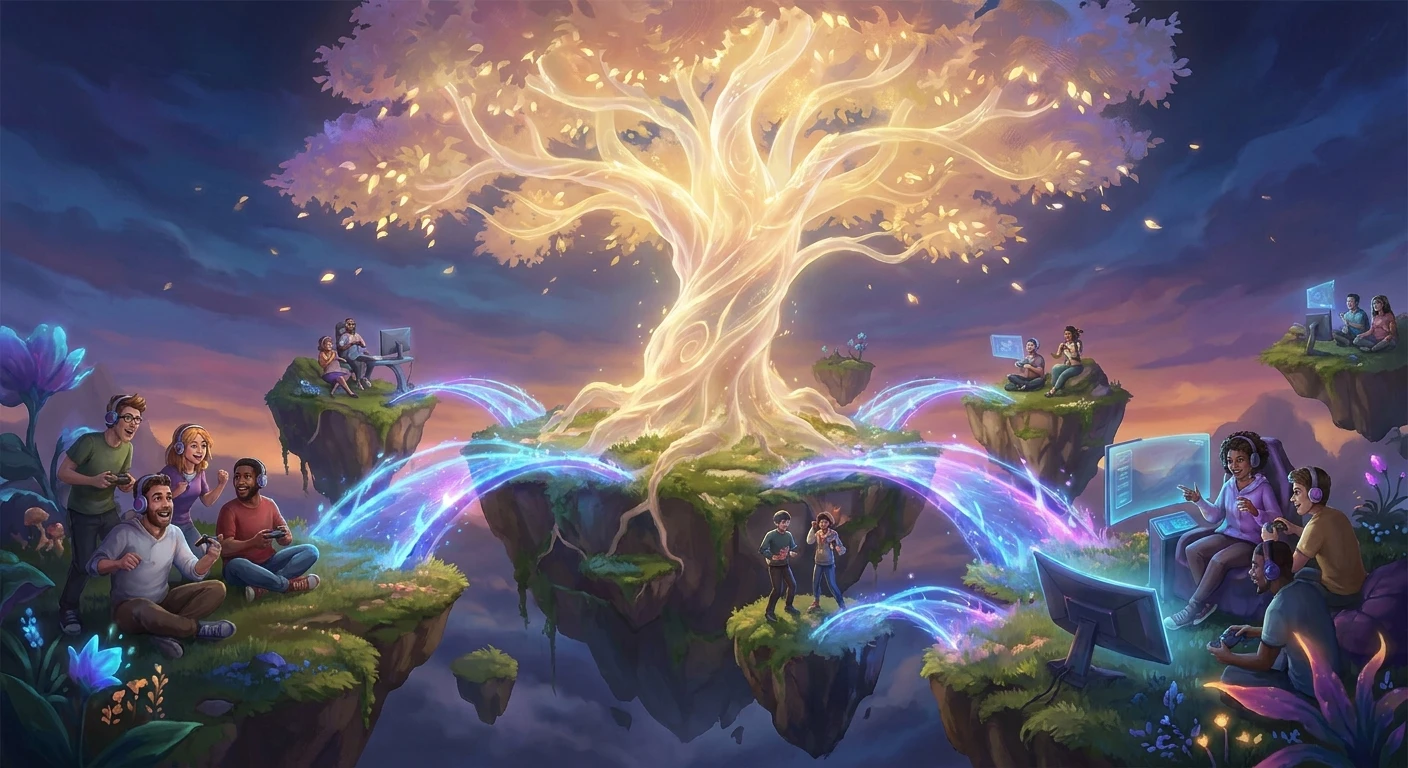
When you ask is Elden Ring cross platform, the answer determines exactly how you and your friends will explore the treacherous landscapes of the Lands Between together. Cooperative and competitive multiplayer architecture in FromSoftware’s masterpiece directly shapes your survival chances against punishing bosses. You cannot simply boot up your console, invite a friend on a completely different hardware ecosystem, and expect a seamless connection. The game operates under strict network barriers dividing the player base into specific hardware families.
Multiplayer here relies on a traditional ecosystem boundary system. You rely on summoning signs, specific multiplayer items, and server architecture tied to your chosen hardware manufacturer. Grasping these limitations immediately saves you the headache of buying the game on PC only to realize your entire friend group plays on Xbox. The hardware you choose locks you into a specific ecosystem of allies and invaders. We need to look at exactly how this network is structured, why these barriers exist, and how you can optimize your connections within the allowed parameters.
Read also: Palworld Crossplay Guide Complete Multiplayer Setup; The Best Elden Ring Interactive Map Guide.
This distinct separation of player bases means you have to plan ahead. Grouping up requires everyone to commit to a single platform family. Cooperative combat, PvP invasions, and message systems all function exclusively within these walled gardens. Your experience, community interactions, and available co-op partners depend entirely on understanding these structural network rules from day one.
The Core Multiplayer Infrastructure
The game strictly utilizes cross-generation play rather than true cross-platform play. This means that while different console generations from the same manufacturer can connect seamlessly, completely different hardware ecosystems cannot communicate with one another. Sony consoles talk to Sony consoles, Microsoft consoles talk to Microsoft consoles, and PC players are left on their own isolated Steam servers.
Understanding this value proposition helps gaming groups make informed purchasing decisions. For example, if you manage to secure a newer console upgrade, you are not punished by losing access to friends who are still waiting to upgrade. Another massive benefit is the unified community within a single brand, keeping the player pool large and active for invasions and cooperative summons long after launch.
| Platform Family | Cross-Gen Support | True Cross-Play |
|---|---|---|
| PlayStation (PS4, PS5) | Yes | No |
| Xbox (One, Series X/S) | Yes | No |
| PC (Steam) | N/A | No |
To successfully initiate a cooperative session within your allowed platform family, you must execute a specific sequence of in-game actions. The system is designed to be thematic and immersive rather than functioning like a standard lobby menu.
- Craft or purchase a Furlcalling Finger Remedy using Erdtree Flowers found throughout the open world.
- Activate the small effigy summoning pools located near major boss arenas and dungeon entrances to reveal hidden signs.
- Have your partner use the Tarnished’s Furled Finger to physically draw their golden summoning sign on the ground.
- Consume the Furlcalling Finger Remedy to make your partner’s golden sign visible in your world, then interact with it to pull them through the dimensional rift.
The Origins of FromSoftware Multiplayer
The peculiar multiplayer mechanics we see today have deep roots stretching back to Demon’s Souls. The developers originally conceptualized multiplayer as an asynchronous, fleeting experience. They wanted players to feel isolated in a hostile world, receiving only brief glimpses of other adventurers through bloodstains, phantom echoes, and cryptic messages scrawled on the ground. Direct cooperative play was intended to be anonymous and temporary, a brief alliance between strangers facing insurmountable odds before parting ways forever. This foundational philosophy heavily influenced the underlying network architecture, prioritizing peer-to-peer instancing over persistent, unified server lobbies.
The Evolution Through the Souls Series
As the community grew aggressively around Dark Souls and Bloodborne, players demanded more reliable ways to play with specific friends rather than random strangers. The introduction of the password matchmaking system in Bloodborne was a massive structural shift. By entering a matching alphanumeric code, players could bypass level restrictions and force the game to prioritize their friends’ summoning signs. However, the underlying server architecture remained fiercely protective of platform boundaries. Console manufacturers maintained strict control over their network APIs, preventing any cross-pollination between rival hardware ecosystems during this era.
The Modern State of Multiplayer in 2026
Even as we navigate the gaming landscape in 2026, the strict boundaries separating platform families remain firmly in place for this particular title. Despite industry-wide shifts toward unified gaming ecosystems, the developers chose to maintain their siloed approach to preserve network stability and avoid the complexities of balancing PC anti-cheat systems against closed console environments. The servers act merely as matchmakers, shaking hands between players on the same network before handing the actual gameplay data off to a peer-to-peer connection. This modern state ensures highly stable cross-generation play but firmly locks the door on true cross-platform integration.
Network Architecture and Server Infrastructure
The backend of the multiplayer experience relies on a hybrid network topology. Rather than hosting the entire game world on a massive centralized server, the system uses dedicated servers solely for matchmaking and message distribution. When you drop a summon sign, the dedicated server broadcasts that availability to other players within your platform ecosystem. Once a connection is accepted, the game transitions immediately into a peer-to-peer (P2P) mesh network. In this setup, the host player’s console or PC becomes the authoritative server for that specific session. Every action, enemy movement, and damage calculation is processed by the host machine and transmitted directly to the summoned client. This limits server costs and allows for infinite scaling, but it makes the connection highly susceptible to the host’s personal internet quality.
Understanding Cross-Gen Communication Protocols
The ability to play across different generations of the same console family hinges on shared Application Programming Interfaces (APIs). Sony’s PlayStation Network and Microsoft’s Xbox network both utilize unified backend services for their respective console lineages. When a PS5 player summons a PS4 player, the PSN matchmaking server recognizes them as existing within the same authorized network environment.
- Matchmaking servers handle the initial handshake protocol, authenticating user licenses and verifying platform family credentials before allowing connections.
- Peer-to-peer gameplay packets bypass the central servers entirely, reducing latency but exposing the session to strict NAT type conflicts.
- Frame rate discrepancies between older and newer hardware are handled client-side; the host engine dictates the game state while the client renders it at their hardware’s maximum capability.
- Security protocols and anti-cheat software on PC create massive technical hurdles for cross-platform integration, as consoles operate in closed, secure environments.
Step 1: Verify Your Network Type (NAT)
Your Network Address Translation (NAT) type dictates who you can connect with in a peer-to-peer environment. You need NAT Type 1 (Open) or NAT Type 2 (Moderate). Access your console or PC network settings and run a connection test. If you show NAT Type 3 (Strict), your router’s firewall is aggressively blocking the incoming traffic required to host or join a multiplayer session. Resolving this is the mandatory first step before attempting any cooperative play.
Step 2: Configure Multiplayer Passwords
To connect with specific friends, navigate to the multiplayer menu and set a matching Multiplayer Password. This string of text must be identical, including capitalization, for all players in the group. Using a password completely bypasses the standard level and weapon upgrade matchmaking restrictions. The game will automatically scale down the health, stamina, and damage output of high-level phantoms to match the host’s current progression level, ensuring a balanced experience.
Step 3: Optimize Router Port Forwarding
If you experience frequent disconnections or invisible summon signs, manually forward the required network ports on your router. Access your router’s admin panel via a web browser and assign a static IP address to your gaming device. Next, open the specific TCP and UDP ports required by your platform network (PSN, Xbox Network, or Steam). This creates a direct, unobstructed tunnel for multiplayer data packets to flow, drastically reducing latency and connection drops.
Step 4: Gather Necessary Co-op Items
Multiplayer requires specific consumable and reusable items. Farm Erdleaf Flowers, found glowing yellow across Limgrave and other regions, to craft Furlcalling Finger Remedies. You need one of these remedies every single time you want to host a friend in your world. The summoned players do not need consumables; they only need the reusable Tarnished’s Furled Finger to place their sign down. Keep a healthy stock of crafted remedies to avoid interrupting your session to go gathering.
Step 5: Coordinate Platform Families
Communicate with your group and ensure everyone is operating within the same hardware ecosystem. A player on a base PS4 can seamlessly join a host on a PS5. A player on an Xbox One S can join an Xbox Series X host. A Steam Deck user can play with a desktop PC user. Map out who is playing on what hardware before purchasing the game to guarantee compatibility.
Step 6: Test Local Network Stability
Before engaging a difficult boss, test your connection stability in a safe, open-world environment. Have the host activate a summoning pool and pull the phantom into the world. Spend five minutes fighting standard enemies to monitor for rubber-banding, delayed damage registration, or phantom hits. If the connection is unstable here, it will be unplayable during a high-speed boss encounter. Switch hosts if necessary, favoring the player with the wired ethernet connection.
Step 7: Troubleshoot Disconnection Errors
When you encounter a ‘Connection Error Returning to Your World’ message, follow a strict troubleshooting protocol. First, both players should completely quit the game to the main menu and reload to refresh the matchmaking server connection. If the issue persists, reboot your respective routers to clear the cache. Avoid using Wi-Fi if possible; peer-to-peer gaming demands the packet consistency provided by a direct ethernet cable connection.
Myths & Reality
Myth: PC players can easily connect with Xbox users because Microsoft owns Windows.
Reality: The PC version relies entirely on Steam’s matchmaking infrastructure, which is completely isolated from the Xbox Live ecosystem. They cannot interact in any capacity.
Myth: Cross-generation play gives next-gen console users a massive PvP advantage due to higher frame rates.
Reality: While 60 FPS offers a smoother visual experience, the game’s peer-to-peer netcode synchronizes the game state between host and client, equalizing the actual timing of i-frames and hit registration.
Myth: Using a multiplayer password allows high-level players to easily one-shot early game bosses for their friends.
Reality: The engine applies an aggressive scaling algorithm to over-leveled phantoms, heavily nerfing their health, stamina, and damage output to match the host’s exact level bracket.
Does PS4 play with PS5?
Yes, cross-generation play is fully supported within the PlayStation ecosystem. You can seamlessly summon, invade, and read messages between both console generations without any extra steps.
Can Xbox One play with PC?
No, Xbox consoles are entirely restricted to the Microsoft console ecosystem. PC players operate on isolated Steam servers and cannot interact with any console platforms.
Will crossplay ever be added?
Bandai Namco and the development team have never announced plans to integrate true cross-platform capabilities. Given the game’s age and existing architecture, it is highly unlikely to ever receive this feature.
Do I need a premium subscription for multiplayer?
Yes, playing online requires an active PlayStation Plus subscription on Sony consoles or an Xbox Game Pass Core subscription on Microsoft consoles. PC players do not have to pay extra fees to access Steam multiplayer.
Is there local split-screen co-op?
No, the game does not support local split-screen or couch co-op. Every player must have their own console or PC, their own copy of the game, and their own screen.
Can Steam Deck players join PC servers?
Yes, the Steam Deck is simply a portable PC. It connects directly to the standard Steam matchmaking servers, allowing full cooperation with friends playing on traditional desktop computers.
How many players can join a session?
The maximum player limit for a single session is four. This typically consists of one host, two cooperative phantoms, and one hostile invader, or one host, one phantom, and two invaders using the Taunter’s Tongue.
Understanding the strict boundaries of this network architecture saves you time, frustration, and wasted money. Always coordinate your hardware choices before venturing into the brutal cooperative landscape. Share this guide with your gaming group right now to ensure you are all ready to conquer the Lands Between together on the correct platforms!

Leave a Reply